
Know what's left to spend today.
Spentio is an expense tracker and budget planner that does the math for you: your income, minus fixed costs, savings and what you've already spent, as one number for today, this week or this month.


For iPhone and Android.
Spent today: $65.59
Try it: tap the yellow pill, or switch to the shared Home profile.
Log a purchase in seconds
Type what you bought and what it cost. Spentio guesses the category and learns from every one you change.
Scan a receipt
Hold the + to open the camera. Every line lands in its own category, discounts included.
Card payments, logged for you
On iPhone, a Shortcuts automation logs each Apple Pay purchase. On Android, Spentio reads your Google Wallet payment notifications.
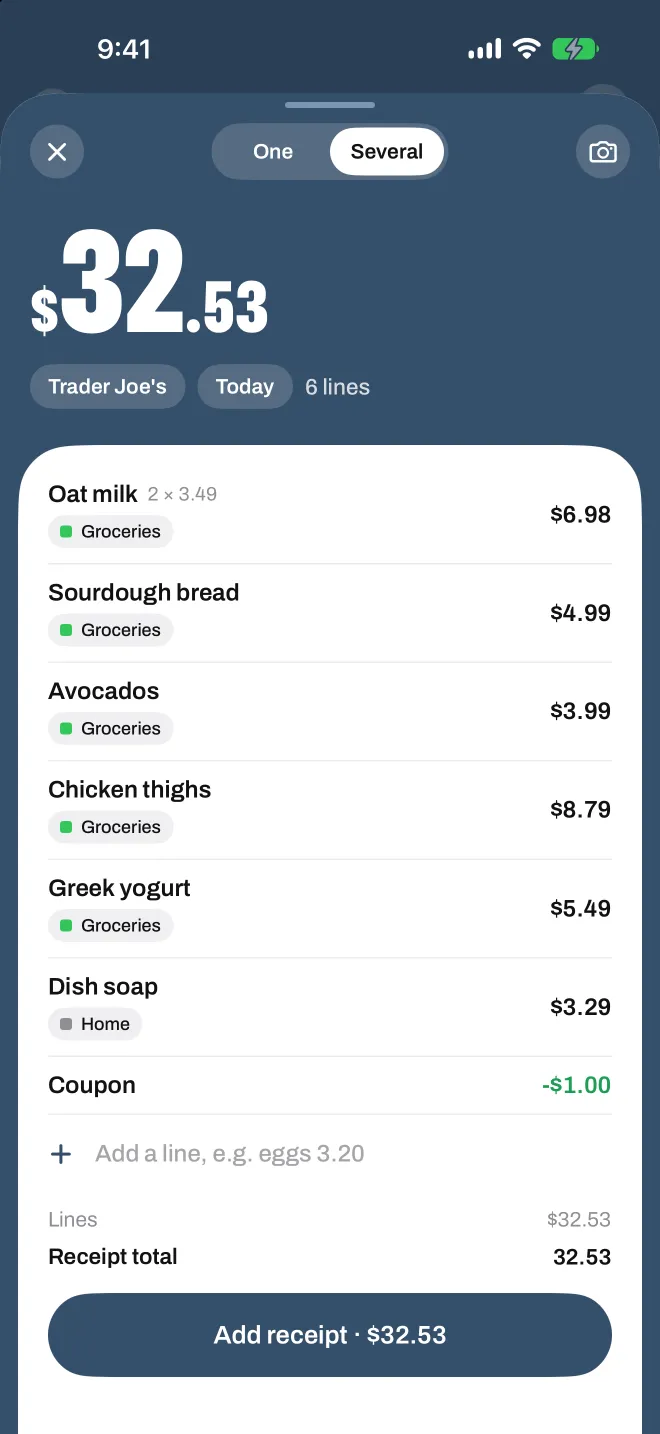
A whole shopping trip at once
Add several items in one go and save them as one receipt, each line in its own category.
Bring your history
Import from your bank or another app (CSV, Excel, OFX or QIF), and export to CSV or PDF.
Bills and subscriptions, counted before you spend
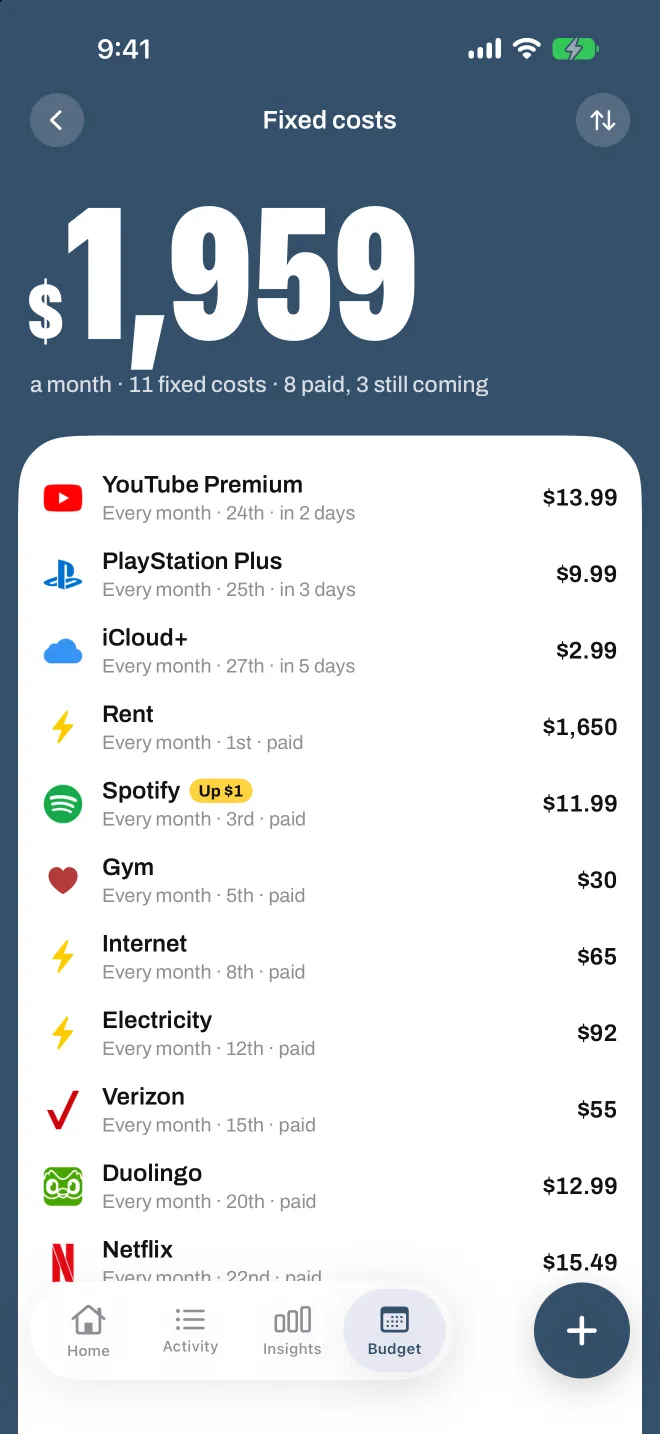
Add your income, rent and subscriptions once. Spentio takes them off up front, so what's left is honest from the first day of the month.
A subscription tracker built in
Every subscription in one list, with what it costs you a year.
A heads-up before a bill
A reminder the day before a fixed cost is due.
Price rises spotted
Spentio tells you when a subscription starts charging more.
Your payday, your schedule
Paid every week, every two weeks, twice a month or monthly: income lands when it really does.
One budget for two
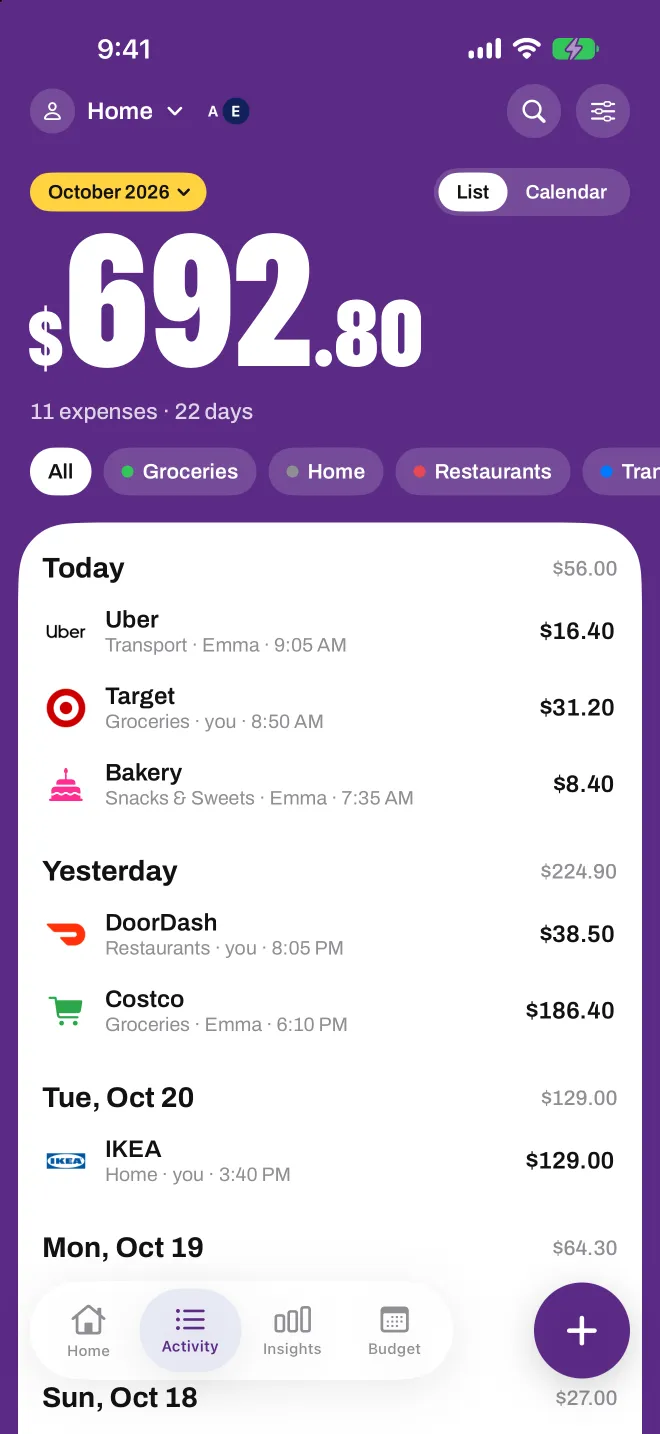
Share a profile with your partner or family. You both add what you spend, and you both see the same numbers.
A profile for each part of your life
Personal, your home, a trip or a side project, each with its own colour and currency.
On iPhone
Shared through iCloud with other iPhone users. Send one link and approve who joins.
On Android
Shared through Google Drive with other Android users, encrypted on the phones so nobody else can read it.
See where the month is going
Spentio reads your own numbers on your phone and points out what's hard to see on your own.
Your pace
Where the month will end if you keep spending like this.
Small leaks
The little buys that quietly add up, like five coffees this week.
Budgets that warn you early
A monthly budget for groceries, or for one thing you buy too often, with a heads-up at 80%.
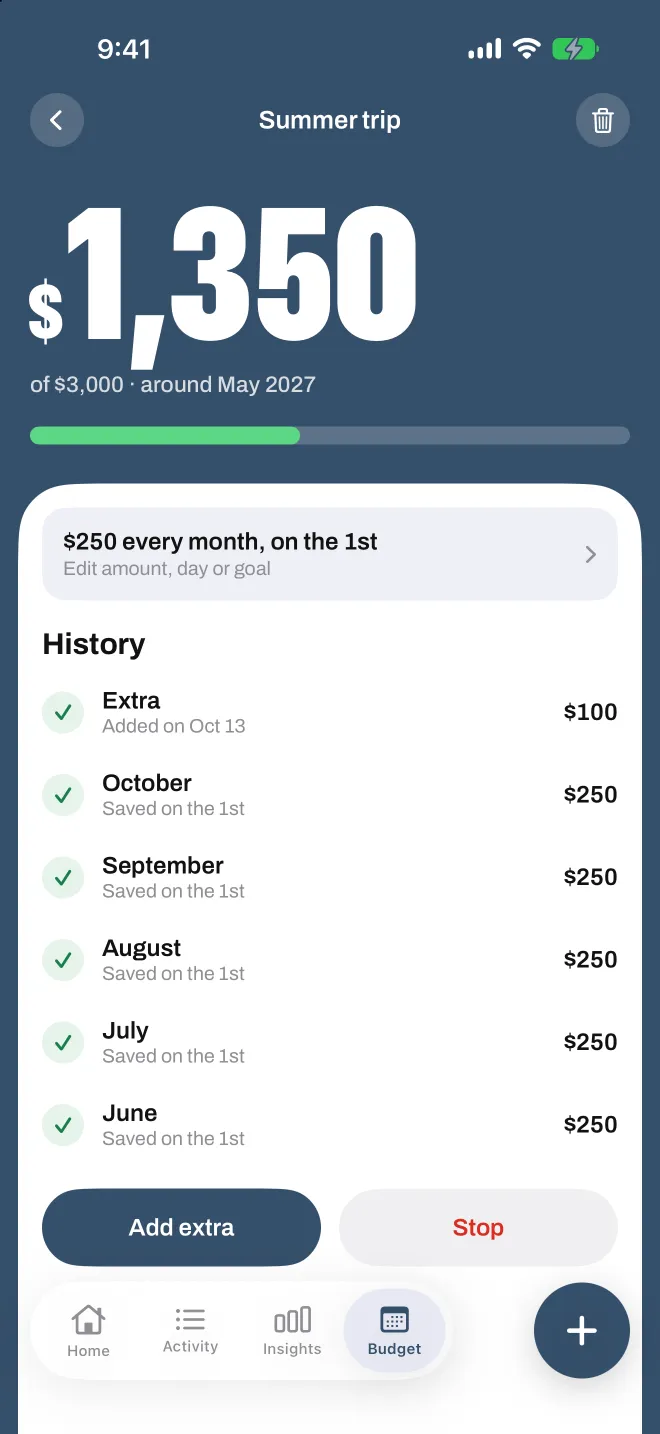
Savings goals
Put a little aside every month and watch the goal fill up.
A monthly recap
Your month as a short story you can share, with or without the amounts.
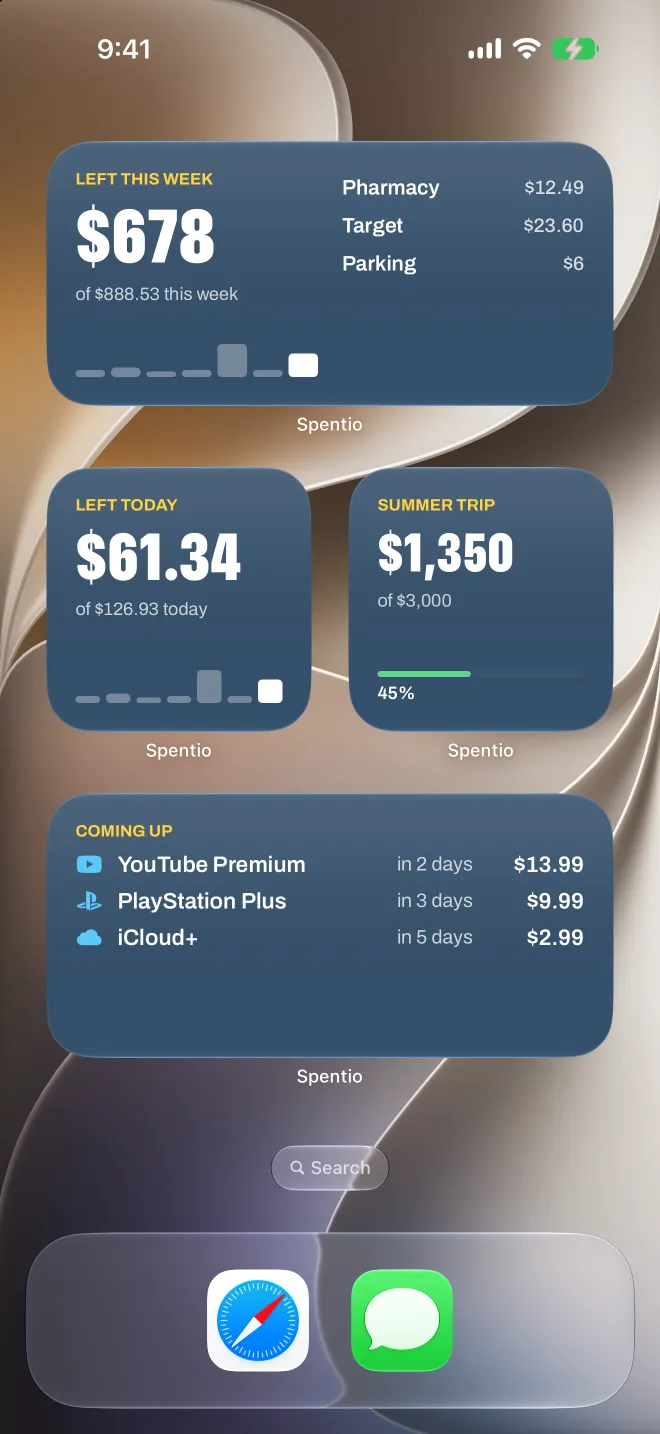
Widgets
What's left, today's spending and the bills coming up, on your Home Screen.
Private by design
- No bank login, no account, no ads.
- On iPhone, your data stays on your phone and in your own iCloud.
- On Android, it stays on your phone and in your own Google backup.
Questions
Is Spentio on iPhone and Android?
Yes. Spentio is on the App Store for iPhone and on Google Play for Android, with the same features wherever each phone allows it.
Do I need to connect my bank?
No. There is no bank login and no account. You log what you spend, scan receipts, or import a file from your bank.
How does Spentio work out what's left to spend?
It takes your income, subtracts your fixed costs, your savings and what you've already spent, and spreads the rest over the days left in the month. Spend less today and the days after get a little more.
Can I share a budget with my partner?
Yes. Share a profile and you both add expenses and see the same numbers. On iPhone it's shared through iCloud with other iPhone users, on Android through Google Drive with other Android users. A profile can't be shared between an iPhone and an Android phone.
Can Spentio track my subscriptions?
Yes. Add them as fixed costs and Spentio shows what each one costs you a year, reminds you the day before it's due and tells you when a price goes up.
Can I move my data from another app?
Yes. Import a CSV, Excel, OFX or QIF file from your bank or another budgeting app. You can export to CSV whenever you like.
Which languages and currencies does it support?
Spentio is in 37 languages and works in any currency. Each profile can have its own.
Add your income once. Know what's left every day.
Spentio is on the App Store and Google Play.