Every job, its hours and its photos, in one place
Breta is a job management app for tradespeople and contractors on iPhone. Start a timer when you get to the site, take photos as the work goes, and each job keeps its own record, day by day.

For iPhone. No account needed.
- No account
- No sign-up, no login. Open the app and add your first job.
- No signal needed
- Everything is stored on your iPhone, so it works in basements and on new builds.
- Your own iCloud
- Jobs sync through your iCloud and back up to a file you keep. We run no server that collects them.
- 37 languages
- Including English, German, Italian, Norwegian, French and Spanish.
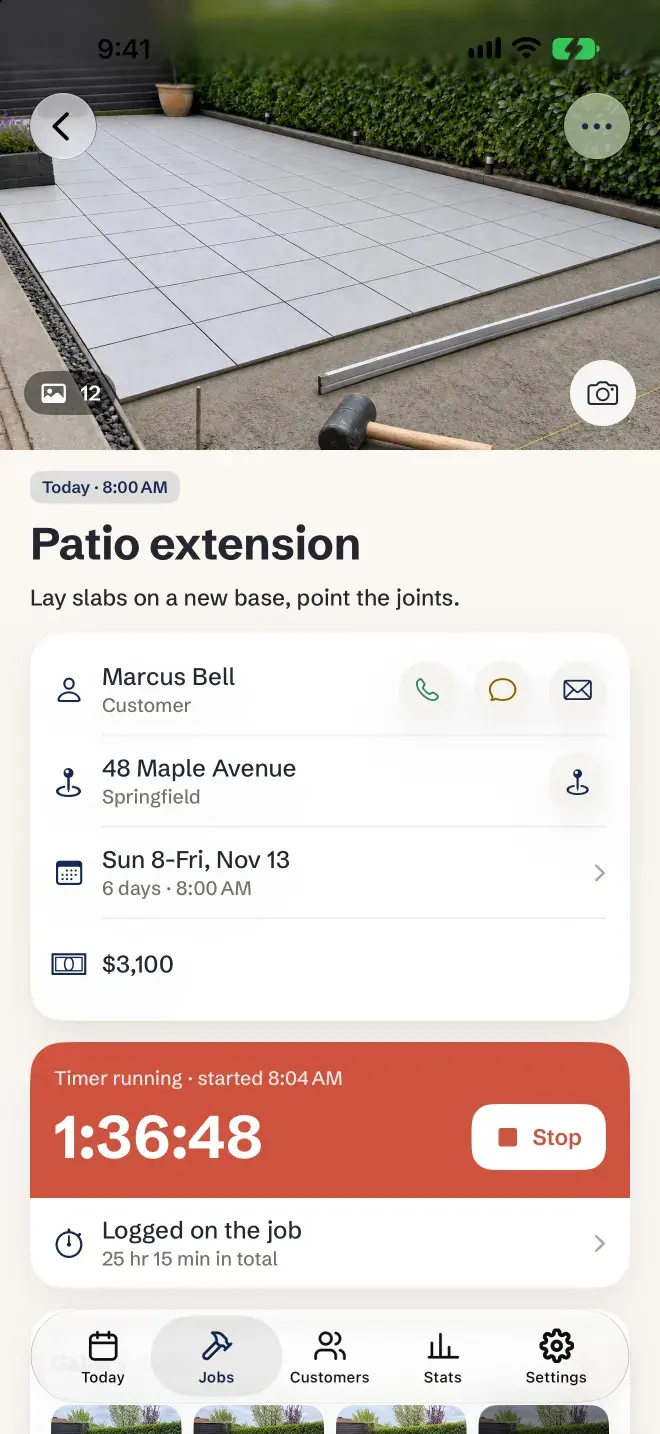
One screen holds the whole job
Open a job and it's all there, from the first photo to the last hour.
Photos and video
Up to 30 photos in a row without leaving the camera, or switch to video. They stay with the job.
Customer
Call, message or email from the job. Add customers from your Contacts, or photograph a business card.
Address
One tap opens the route in Google Maps or Apple Maps.
Days
Each day of the job with its own start and finish. Night work that ends the next morning counts right.
Price
With or without VAT, so Stats always shows revenue without it.
Timer
Start it when you arrive. It keeps running on the Lock Screen.
Hours logged
Every day adds up on the job. Forgot the timer? Add the hours afterwards.
A working day with Breta
What the app does for you, from the first coffee to the evening.
6:30 AM
The day in one notification
A morning summary lists the day's jobs. Nothing on a day off.
7:40 AM
Off to the first job
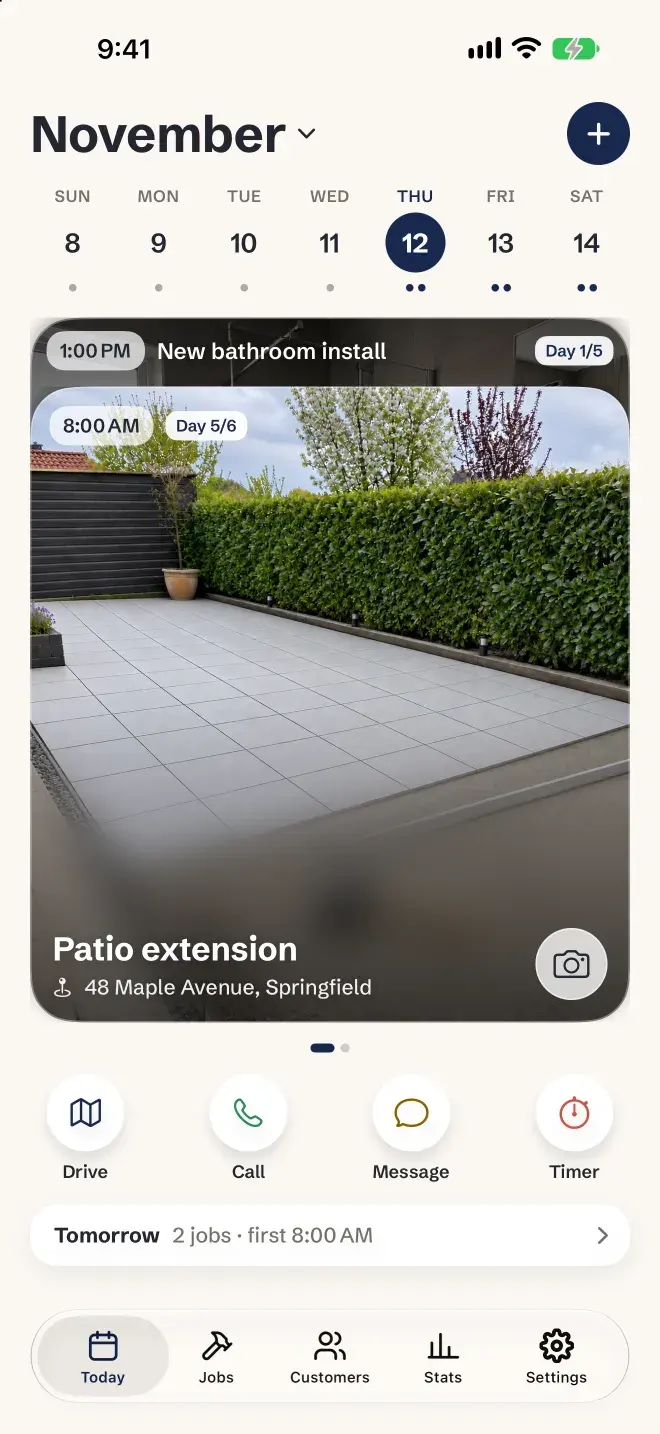
Today shows your jobs as photo cards. Tap Drive for the route.
8:04 AM
Timer on
One tap when you arrive. It counts on the Lock Screen while you work.
12:15 PM
Photos as you go
Snap the progress. The job's gallery fills up on its own.
4:30 PM
Done for the day
Stop the timer. Today's hours join the job's total.
8:00 PM
Plan tomorrow
Open the month to add a job or a site visit, and see in Stats what each hour earned.
Questions
- What is Breta?
- Breta is a job management app for iPhone, made for tradespeople and contractors who work on their own: handymen, carpenters, electricians, plumbers, tilers and painters. Each job holds its customer, address, days, price, hours, photos, notes and materials.
- Can Breta track my work hours like a timesheet?
- Yes. Start the timer on a job and Breta records the time, also from the Lock Screen. Every day is listed with its start, finish and total, so the hours on each job add up on their own. You can also add hours by hand.
- Does Breta work without internet?
- Yes. Everything is stored on your iPhone, so it works on sites with no signal. iCloud syncs your jobs when you are back online.
- Do I need an account?
- No. There is no sign-up and no login. Your jobs stay on your iPhone and in your own iCloud.
- Can I keep before and after photos of a job?
- Yes. Photos and videos are saved with the job they belong to, in the order you took them, so you can show a customer the whole job from start to finish.
- Will my jobs show up in my calendar?
- Yes. Turn on calendar sync and each job appears in your iPhone's calendar from start to finish, including Google or Outlook calendars you have added to the iPhone.
- Is Breta on Android?
- No. Breta is for iPhone only, on iOS 17 or later.
Your next job starts with a photo
Breta is on the App Store, for iPhone.