Work hours calculator, with breaks and decimal hours
Hours worked are the end time minus the start time, minus your break. From 8:00 AM to 5:00 PM with a one-hour lunch, that's 8 hours. For decimal hours, divide the minutes by 60: 8 hours 15 minutes is 8.25 hours. The calculator below does it for several days at once, and works out your pay if you add an hourly rate.
Calculate your hours worked
Day 1
8 h
Hours worked
8 h
- Decimal
- 8.00 hours
8 h in total. With Breta the hours add up on their own: a timer for every job, day by day.

Breta is an app for iPhone.
How to calculate hours worked
End minus start, minus the break. Take the break off in minutes and convert to hours only at the end. Three workdays as an example:
| Start | End | Break | Hours worked | Decimal |
|---|---|---|---|---|
| 8:00 AM | 5:00 PM | 60 min | 8 h | 8.00 |
| 7:45 AM | 4:30 PM | 30 min | 8 h 15 min | 8.25 |
| 10:00 PM | 6:00 AM | 30 min | 7 h 30 min | 7.50 |
A shift that runs past midnight is two parts: 10:00 PM to midnight is 2 hours, and midnight to 6:00 AM is 6 more. Take off a 30-minute break and you have 7 hours 30 minutes. The calculator does this on its own when the end time is earlier than the start.
Convert minutes to decimal hours
Timesheets and invoices often show hours as a decimal. To convert, divide the minutes by 60 and round to two places.
| Minutes | Decimal hours |
|---|---|
| 5 | 0.08 |
| 10 | 0.17 |
| 15 | 0.25 |
| 20 | 0.33 |
| 30 | 0.50 |
| 40 | 0.67 |
| 45 | 0.75 |
| 50 | 0.83 |
So 7 hours 45 minutes is 7.75 hours, and 7 hours 30 minutes is 7.5. Watch out for 7.30 on a timesheet: that's 7 hours 18 minutes, not 7 and a half.
Turn hours into pay
Multiply the decimal hours by your hourly rate. Five days of 8 hours 15 minutes is 41 hours 15 minutes, or 41.25 hours: at $25 an hour, that's $1,031.25.
The calculator works from the exact minutes, not from rounded decimals. 20 minutes at $30 an hour is $10.00; with 0.33 hours rounded, you'd get $9.90.
Work hours in a month and a year
For a month, add a day for every day you worked: the total is your month. As an average for a 40-hour week: 40 × 52 weeks = 2,080 hours a year, before vacation and holidays, and 2,080 ÷ 12 = 173.33 hours a month.
Calculate hours worked in Excel
With the start time in B2, the end time in C2 (both formatted as times) and the break in minutes in D2, this formula gives the hours worked as a decimal:
=(C2-B2)*24-D2/60
If the shift runs past midnight, use MOD, which wraps the difference back into 24 hours:
=MOD(C2-B2,1)*24-D2/60
Every job's hours, counted for you
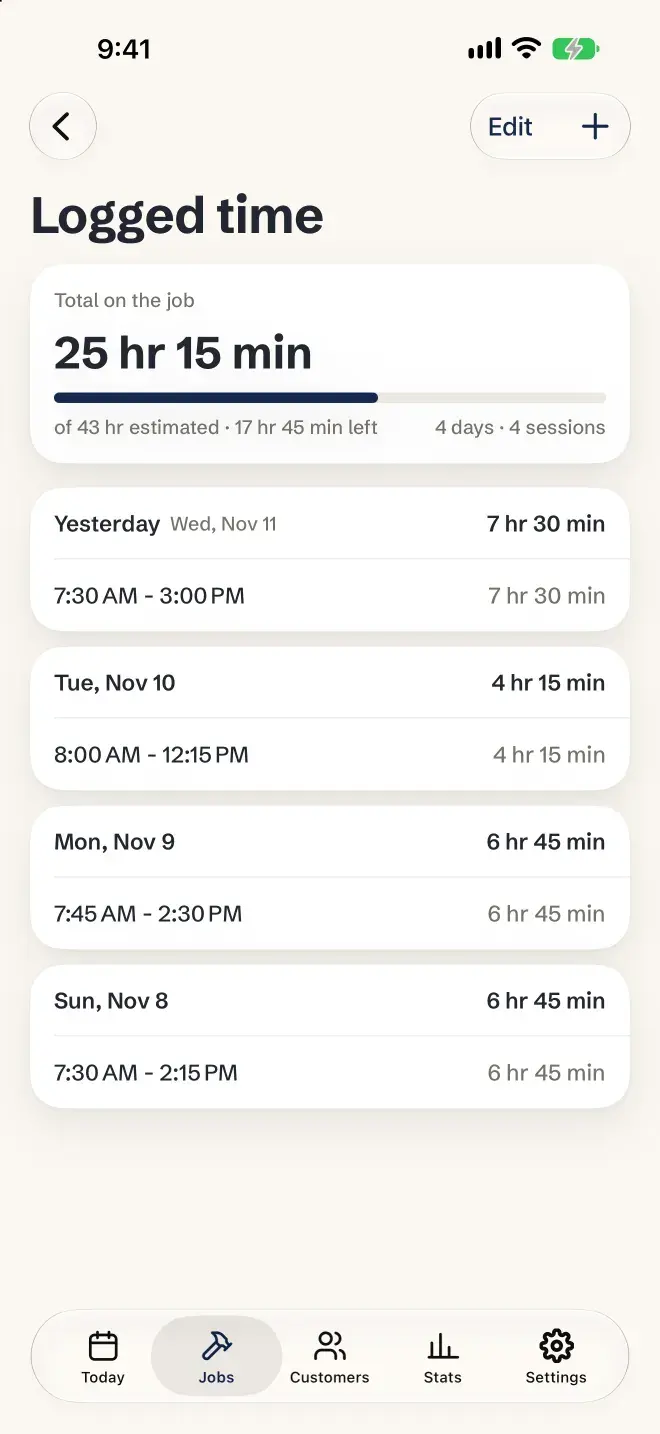
Breta is an app for tradespeople and solo contractors. Instead of writing down start and end times in the evening, you start the timer when you get to the job and stop it when you leave.
- A timer for every job, which keeps running on the Lock Screen.
- Jobs over several days, each day with its start, end and total.
- Forgot to start the timer? Add the hours by hand, and the job's total counts them.
- Stats show what you earned per hour.
Breta is an app for iPhone.
Questions
- How do I calculate hours worked with a lunch break?
- Subtract the start time from the end time, then subtract the break. From 7:45 AM to 4:30 PM is 8 hours 45 minutes; with a 30-minute lunch that leaves 8 hours 15 minutes, or 8.25 hours.
- How do I convert hours and minutes to decimal?
- Divide the minutes by 60 and add them to the whole hours. 7 hours 30 minutes is 7.5 hours, because 30 ÷ 60 = 0.5. In the same way, 15 minutes is 0.25 and 45 minutes is 0.75.
- How many work hours are in a month?
- As many as you work on your workdays added together. As an average, a 40-hour week comes to about 173.33 hours a month (40 × 52 ÷ 12).
- How many hours do you work in a year?
- At 40 hours a week for 52 weeks, 2,080 hours, before vacation and holidays come off. Your real hours depend on how many days you actually worked.
- How do I calculate an overnight shift?
- Count the hours before midnight and the hours after it. 10:00 PM to 6:00 AM is 2 + 6 = 8 hours, minus your break. In the calculator, just enter an end time that's earlier than the start.
Stop adding up hours by hand
With Breta every job keeps its hours, its photos and its days, and the total is always ready.
Updated November 2026 · By Tupungato Studios