
Printable medication list
Fill in your medicines below, then print the list or save it as a PDF from the print window. Take it to every doctor visit, the pharmacy and the hospital, and keep a wallet card with you. Nothing you type leaves this page: it isn't saved or sent anywhere, so print before you close it.
Your medication list
Nothing filled in yet? Print it blank and write on it by hand.
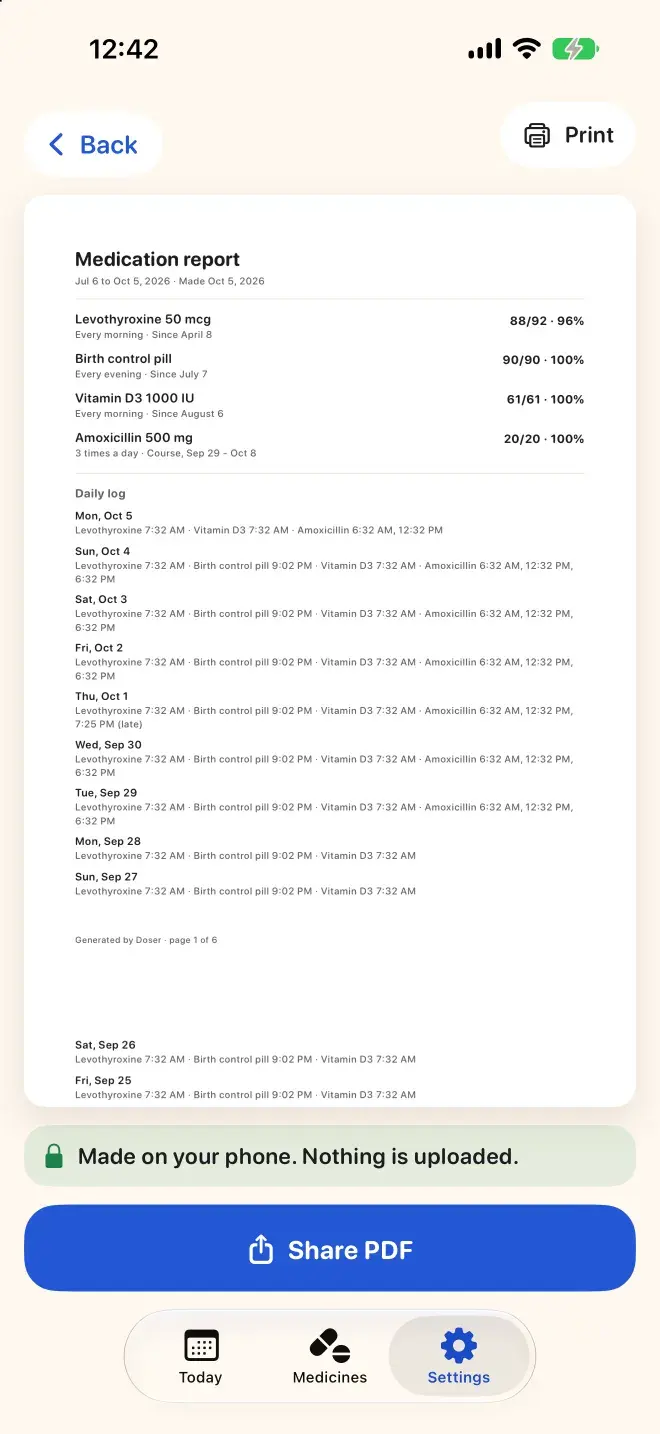
Doser keeps this list for you and rings like an alarm at each dose. For your doctor, it makes a PDF of every dose you took, late or missed.


What you type stays in this browser tab. It isn't saved or sent, so reloading the page clears it.
This list is for your own records and isn't medical advice. Follow your prescriber's instructions, and ask your doctor or pharmacist before you start, stop or change a medicine.
What to put on a medication list
MedlinePlus, from the US National Library of Medicine, says your list should include every medicine you take, not only prescriptions:
Prescription medicines
Everything a doctor prescribed, with the strength, how much you take and when.
Over-the-counter medicines
Pain relievers, allergy pills and anything else you buy without a prescription.
Vitamins, supplements and herbal products
MedlinePlus counts these as over-the-counter medicines, so they go on the list too.
Allergies and who to call
Put them at the top, with your doctor, your pharmacy and an emergency contact, where anyone reading the list finds them first.
Keep it up to date, and keep it with you
MedlinePlus suggests keeping a copy in your wallet and one at home, going over the list with your provider at each appointment, and giving every provider a copy. If you have a hospital stay, bring it with you.
When a medicine starts, stops or changes, fill the list in again and print a new copy. Throw the old one away, so nobody goes by the wrong dose.
Or let your phone keep the list
Doser is a pill reminder. Your medicines live in the app, so the list is always current, and your dose history is ready when your doctor asks for it.
- A reminder at each dose that rings like an alarm, even on silent.
- Every dose logged with the time you took it.
- A PDF report for your doctor: each medicine, what you took and what you missed, for the last 30 days, 3 months or all of it.
- Made on your phone. Nothing is uploaded.
Doser is on the App Store for iPhone and on Google Play for Android.
Questions
- Can I save my medication list as a PDF?
- Yes. Fill in the list, press Print or save as PDF, and choose Save as PDF in the print window. On an iPhone, the print screen has a share button that saves it to Files.
- What goes on a wallet medication card?
- Your name, your allergies, an emergency contact and each medicine with its strength, how much and when. Choose Wallet card before printing, then cut it out along the border. It's the size of a bank card.
- Should I put vitamins and supplements on my list?
- Yes. MedlinePlus counts vitamins, supplements and herbal products as over-the-counter medicines and says they belong on your list with your prescriptions.
- How often should I update my medication list?
- Every time a medicine starts, stops or changes. Go over it with your provider at each appointment, as MedlinePlus suggests.
- Is what I type saved anywhere?
- No. It stays in your browser tab and isn't sent to us or anyone else. That also means reloading the page clears it, so print or save the PDF first.
A list that never goes out of date
Print this one for today. If you'd rather not redo it every time a dose changes, Doser keeps your medicines, reminds you at each dose and makes the report for your doctor.
Updated November 2026 · By Tupungato Studios